

Twitter is fastest growing social networking site and also most famous . So, by Bookmarking in this site .
This would be the cause of more traffic comes to your site . Most person have twitter account when they visiting your post if they think to bookmark your post then the most common option will be this .
and it is so easy to submit in the twitter also display how many times it had been marked in twitter .
Also if your site's SEO is not good then it will help your site .If any user just search anything like ( Common Widgets ) you have a post of this name but user can't find your sites post because your SEO is not good In this time If your post had been marked in Twitter User see the twitter page of the term that was searched by him/her . Usually they were going to click it because of popularity and many thing and then they will see the post author is your website and user were come to you ..
Let , see how to add the RETWEET :---
Now find these codes on your template
div class='post-header-line-1' or data:post.body (if you have data:post.body
the put the code after data:post.body and before
)
Then just put the codes after the line ( choose this button with image or without image and choose which side left or right ) .

Put the code given below
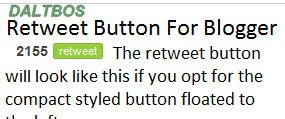
Put the code given below
Some tip :-
How to check how many times marked a post ?
To check the retweet count of any url ,just go to this adressbar in your browser. and type http://api.tweetmeme.com/imagebutton.gif?url=http://twitter.com .Make sure to replace http://twitter.com with the url whose retweet count you want to know .
This would be the cause of more traffic comes to your site . Most person have twitter account when they visiting your post if they think to bookmark your post then the most common option will be this .
and it is so easy to submit in the twitter also display how many times it had been marked in twitter .
Also if your site's SEO is not good then it will help your site .If any user just search anything like ( Common Widgets ) you have a post of this name but user can't find your sites post because your SEO is not good In this time If your post had been marked in Twitter User see the twitter page of the term that was searched by him/her . Usually they were going to click it because of popularity and many thing and then they will see the post author is your website and user were come to you ..
Let , see how to add the RETWEET :---
Now find these codes on your template
div class='post-header-line-1' or data:post.body (if you have data:post.body
the put the code after data:post.body and before
)
Then just put the codes after the line ( choose this button with image or without image and choose which side left or right ) .
Put the code given below
<div style="float:right;padding:4px;">
<script type="text/javascript">
tweetmeme_url = '<data:post.url/>' ;
tweetmeme_source = 'your_twitter_user_name';
script></div>
Your_twitter_user_name = put your twitter username
float:right = to put it on right and float:left = to put it on left .
If you want to change the positon then float:left or right
left to put it in left or right to put it on right
Put the code given below
<div style="float:left;padding:4px;">
<script type="text/javascript">
tweetmeme_style = 'compact';
tweetmeme_url = '<data:blog.url/>';
tweetmeme_source = 'your_twitter_user_name';
script></div>
<script type="text/javascript">
tweetmeme_style = 'compact';
tweetmeme_url = '<data:blog.url/>';
tweetmeme_source = 'your_twitter_user_name';
script></div>
Your_twitter_user_name = put your twitter username
float:right = to put it on right and float:left = to put it on left .
If you want to change the positon then float:left or right
left to put it in left or right to put it on right
Some tip :-
How to check how many times marked a post ?
To check the retweet count of any url ,just go to this adressbar in your browser. and type http://api.tweetmeme.com/imagebutton.gif?url=http://twitter.com .Make sure to replace http://twitter.com with the url whose retweet count you want to know .



